Case Study
Narbl
One platform to chat, compare, and build with any AI.
Role
UX/UI Designer
Duration
10 weeks
Tools
Figma, Cursor, Lovable
Team
Internship Project
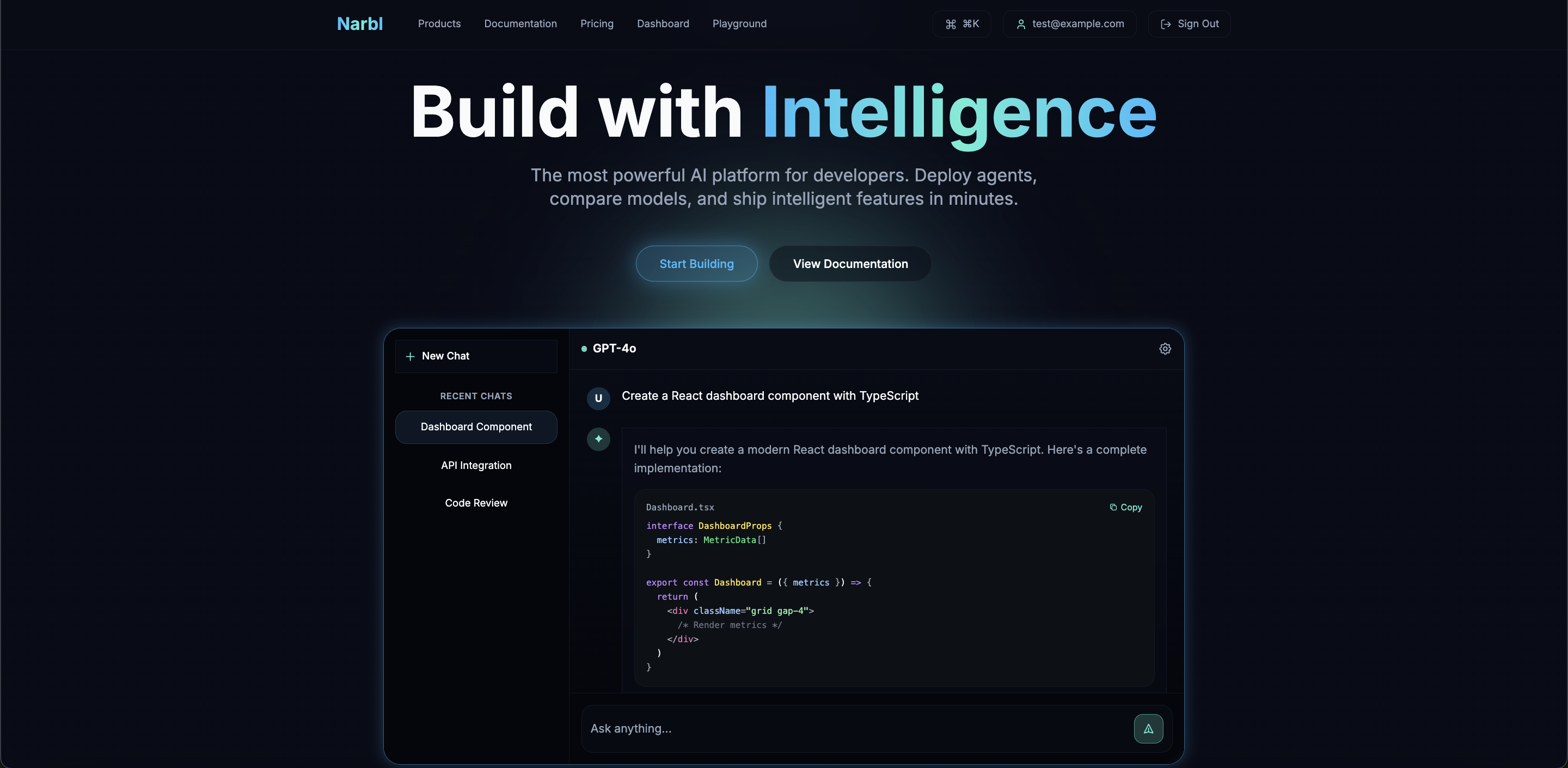
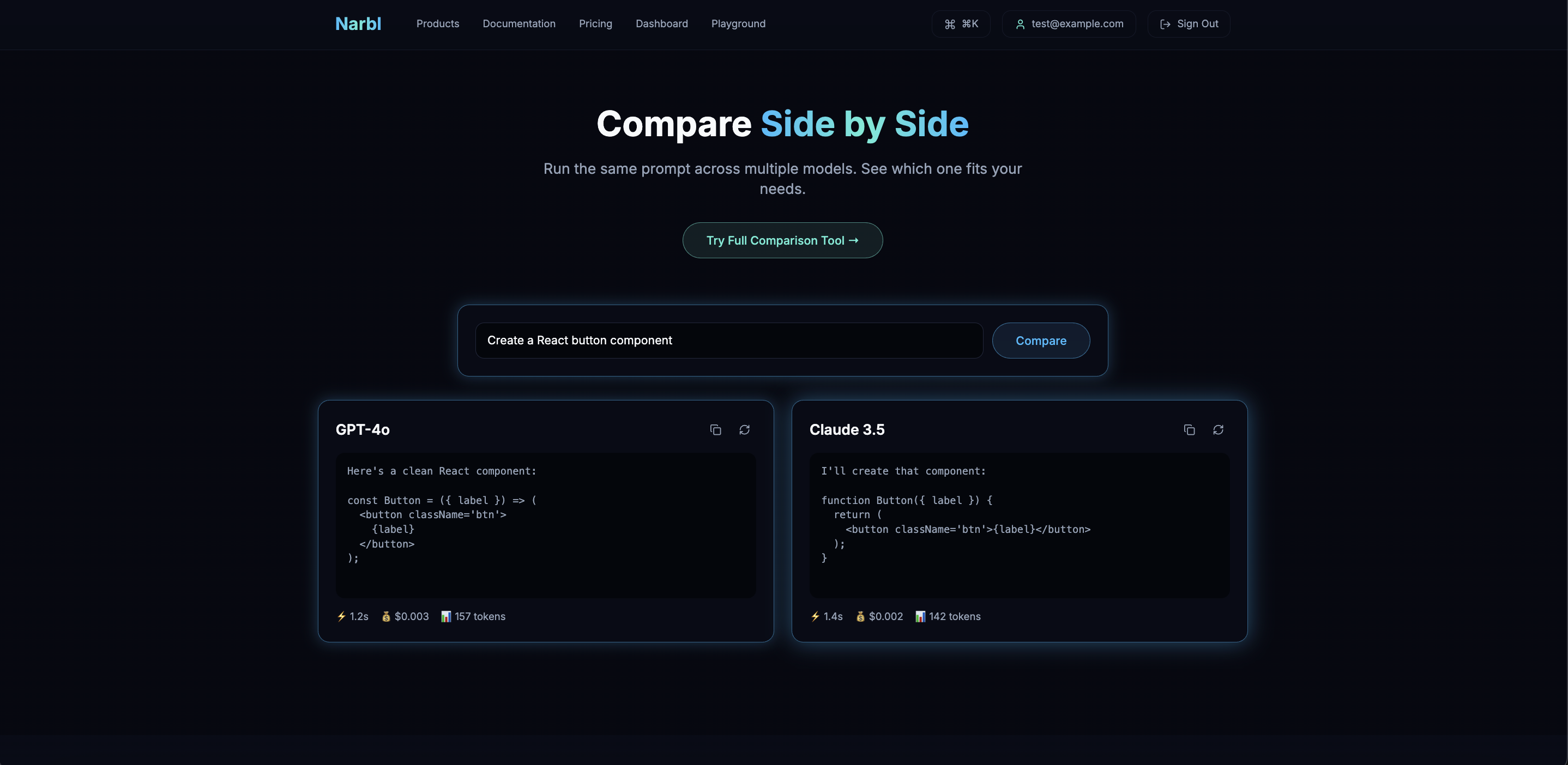
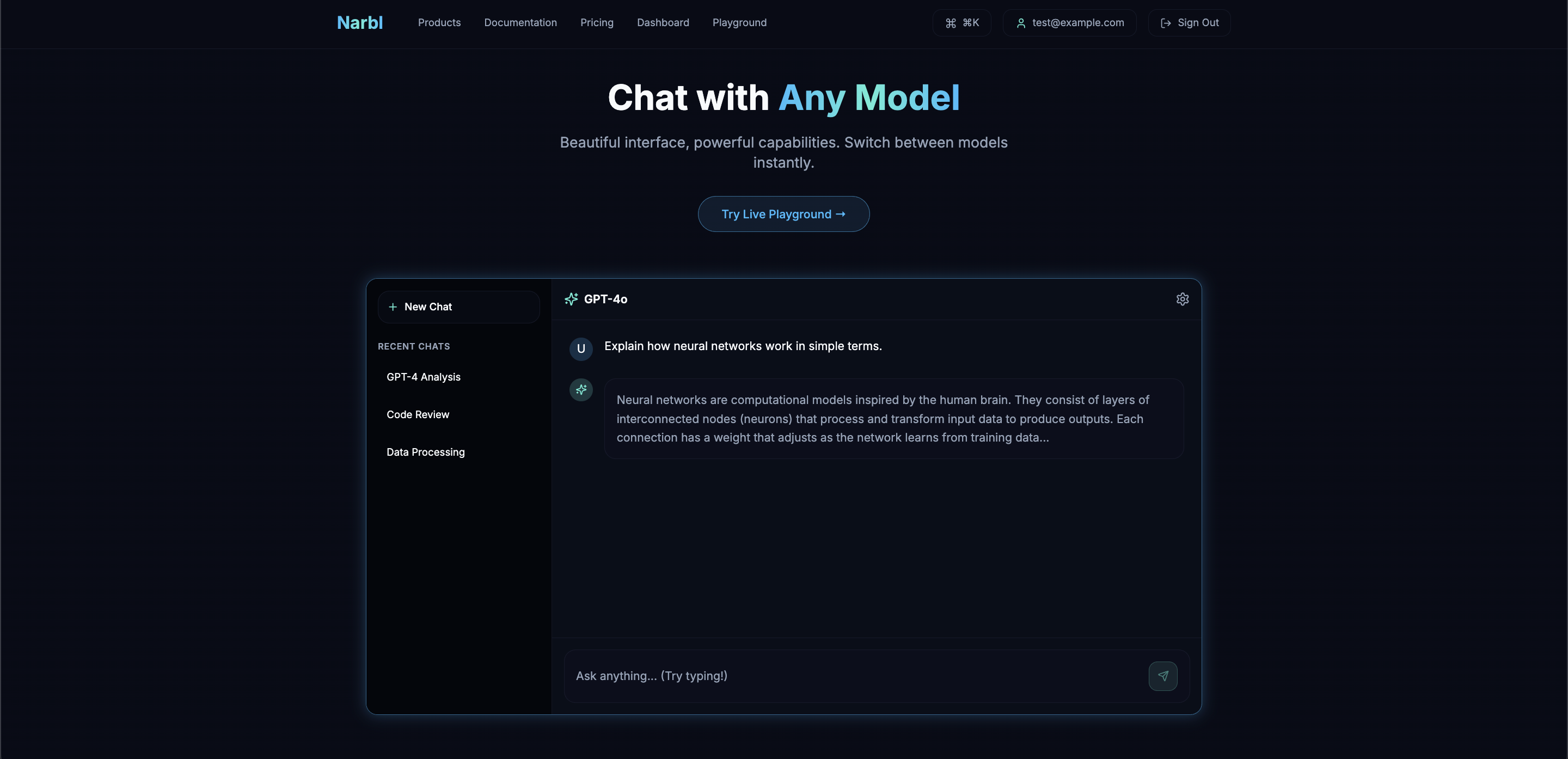
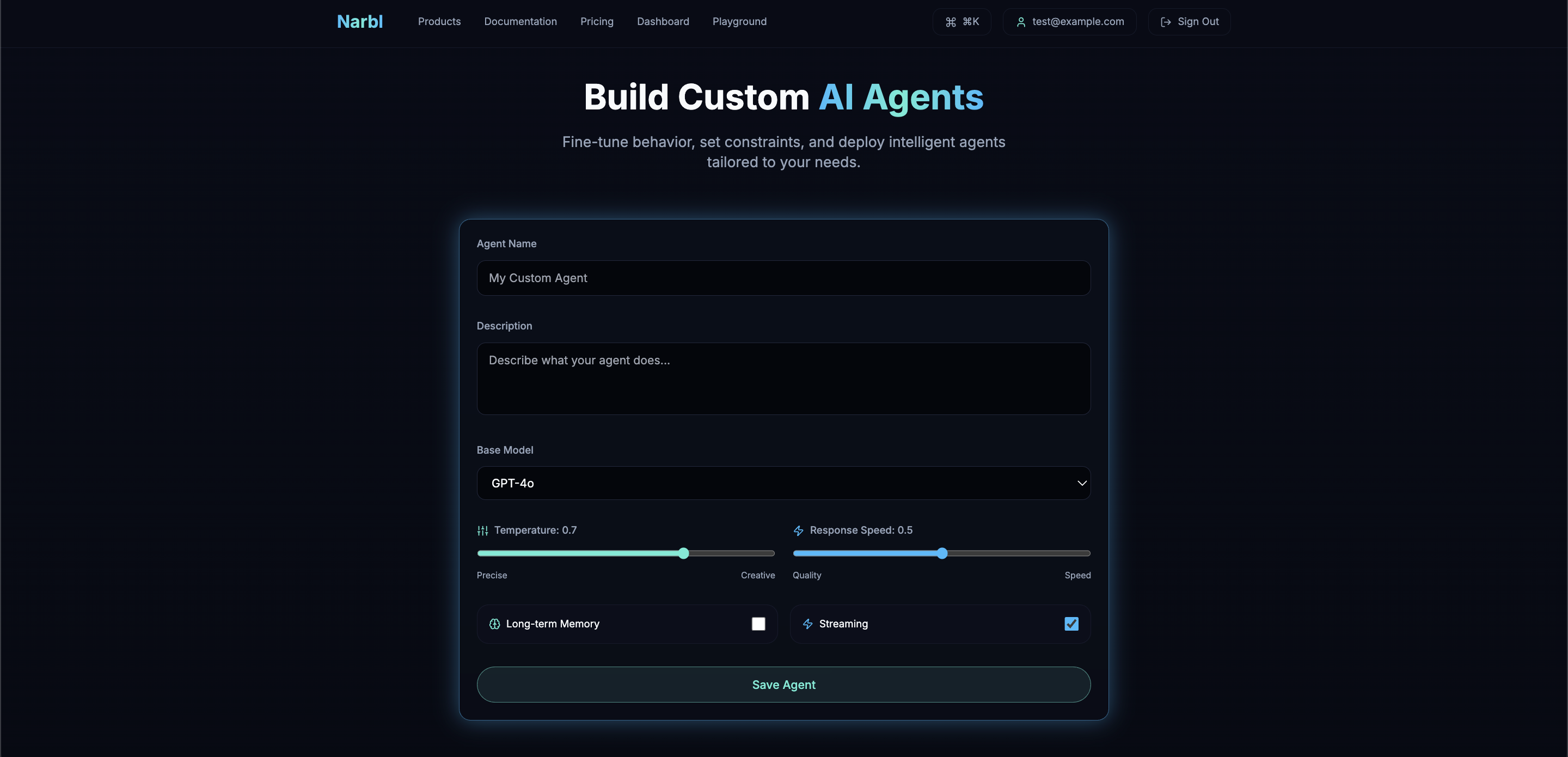
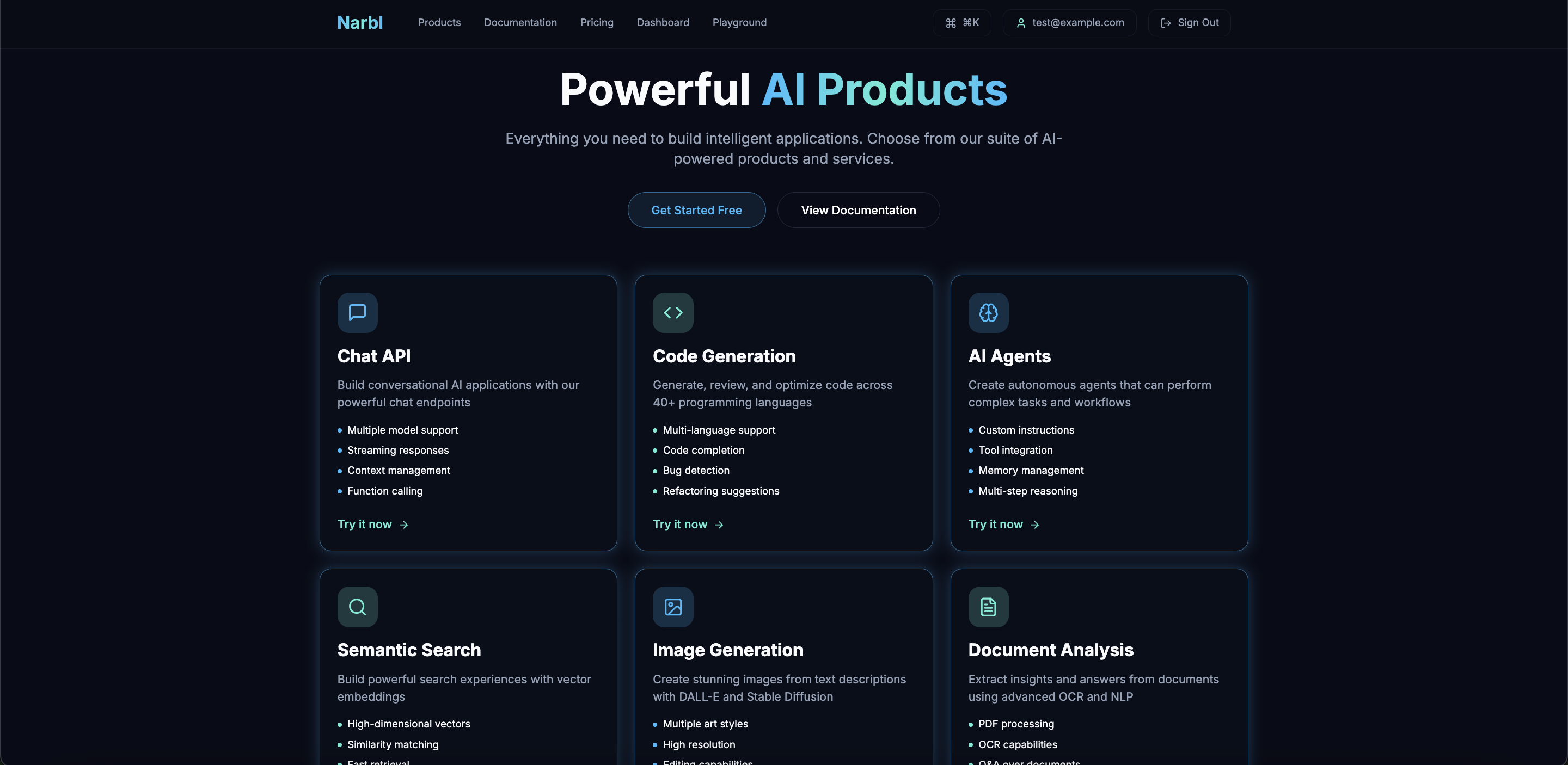
Build with Intelligence
01
Overview
Most AI tools force you to choose a single model. Narbl lets you use them all.
During my internship, our team designed Narbl as a unified AI developer platform. The goal was simple: let developers chat with any LLM, compare responses side by side, and build custom AI agents. We wrapped it all in a sleek glassmorphism interface that makes complex AI workflows feel surprisingly intuitive.
Problem Statement
How might we design an AI platform that helps developers explore, compare, and build with multiple LLMs in a way that supports informed decision-making and rapid prototyping rather than vendor lock-in?
02
Design Process
10-Week Timeline
03
Research
Research Goals
We started with a hypothesis: developers want to try different AI models, but current tools make switching between them a hassle. Our team wanted to dig into how developers actually work with LLMs, where they hit walls, and what would make model comparison and agent building feel frictionless and intuitive.
User Surveys
Survey sample: n = 32 developers
Primary AI Tools Used
Most developers use multiple tools but switch between separate interfaces.
Top Pain Points
Switching models and comparing outputs are the biggest friction points.
Primary Use Cases
Code generation and chat are primary, but needs vary by task.
Key Takeaways
Tool fatigue is real. 78% use ChatGPT, but over half also rely on Claude and other tools. Developers want the best model for each task, but juggling multiple platforms gets exhausting fast.
Comparison is manual and slow. 67% cited model switching as a major pain point. Most developers end up copying and pasting prompts between browser tabs just to compare outputs.
Workflows break across tools. Building agents or automated workflows means stitching together APIs, managing separate contexts, and tracking costs by hand.
Competitive Analysis
Evaluating existing AI platforms
ChatGPT
OpenAI
Locked ecosystem
Claude
Anthropic
No customization
Poe
Quora
Consumer-focused
OpenRouter
API Gateway
No UI, dev-only
Narbl
All-in-one
Narbl closes this gap
A clear pattern emerged: platforms either offer polished UX for one model (ChatGPT, Claude) or multi-model access with clunky interfaces (Poe, OpenRouter). None combine beautiful design, side-by-side comparison, and agent building.
This validated our hypothesis: there's room for a platform that gives developers consumer-grade polish with professional-grade flexibility.
Affinity Mapping
Synthesizing Research Insights
We synthesized survey and interview data through affinity mapping. Three themes emerged:
Exploration: Developers want to try different models quickly without commitment or complex setup.
Comparison: Making informed model choices requires seeing outputs side-by-side for the same prompt.
Building: Power users want to create custom agents and workflows without leaving the platform.
Exploration
User Behavior
Tries new models when they hear about them but switches back to familiar ones due to friction.
Needs / Goals
Wants to test new models on real tasks without signing up for new accounts.
Pain Point
Each AI platform requires separate login, payment setup, and learning curve.
Pain Point
Hard to know which model is best for a specific task without extensive testing.
UX Principle
Model exploration should be zero friction. One click, instant results.
Opportunity
Single interface with instant access to all major models. No setup required.
Comparison
User Behavior
Copies same prompt to multiple tools, then manually compares outputs in separate tabs.
Needs / Goals
Wants to make data-driven model choices, not just go with the popular option.
Pain Point
No way to see how different models respond to the same prompt simultaneously.
Pain Point
Time-consuming to test same prompt across multiple models manually.
UX Principle
Comparison should be native, not a workaround requiring multiple tools.
Opportunity
Split-screen comparison mode that runs the same prompt across selected models.
Building
User Behavior
Uses AI chat for simple tasks but writes custom scripts for automation.
Needs / Goals
Wants to create custom AI agents without managing infrastructure.
Pain Point
Building agents requires stitching together multiple APIs and services.
Pain Point
No visual tools for prototyping AI workflows before coding them.
UX Principle
Power features should feel accessible, not hidden behind code.
Opportunity
Visual agent builder with drag-and-drop components and prompt chaining.
Key Insight
A clear progression emerged from the research: developers start by exploring models, then compare for specific tasks, and eventually want to build on what they learn. Each stage has friction that disrupts the workflow.
This shaped our solution: a unified platform that supports the full journey. Chat with any model, compare responses instantly, and graduate to building agents—all without leaving Narbl.
User Flows & Core Features
Four core journeys mapped from research insights
Onboarding
Chat with Any Model
Compare Models
Build AI Agent
We mapped research insights to four core journeys: quick chat, model comparison, agent building, and account management. Each flow minimizes friction while maximizing power user capabilities.
Low Fidelity Designs
Early Explorations
Our team started sketching user flows around three core experiences: multi-model chat, side-by-side comparison, and agent building. These wireframe flows helped us map out the experience before moving to higher fidelity.
These rough sketches helped us explore layout options and user flows before committing to any specific design direction. We focused on mapping out the core interactions: chatting with AI models, comparing outputs side by side, and building custom agents. Quick pen-and-paper iterations let us test ideas fast and get early feedback from the team.
Mid-Fidelity Prototypes
Refining the Experience
We built mid-fi wireframes to nail down layout, hierarchy, and interactions before jumping into high-fidelity designs. This stage let us test core functionality and get early feedback from the development team.
Core Screens
Compare Flow
Key Refinements
Persistent sidebar: Same navigation pattern across all screens for consistency.
Model cards: Visual representation of each AI model with quick-select actions.
Comparison metrics: Response time, token count, and cost displayed inline.
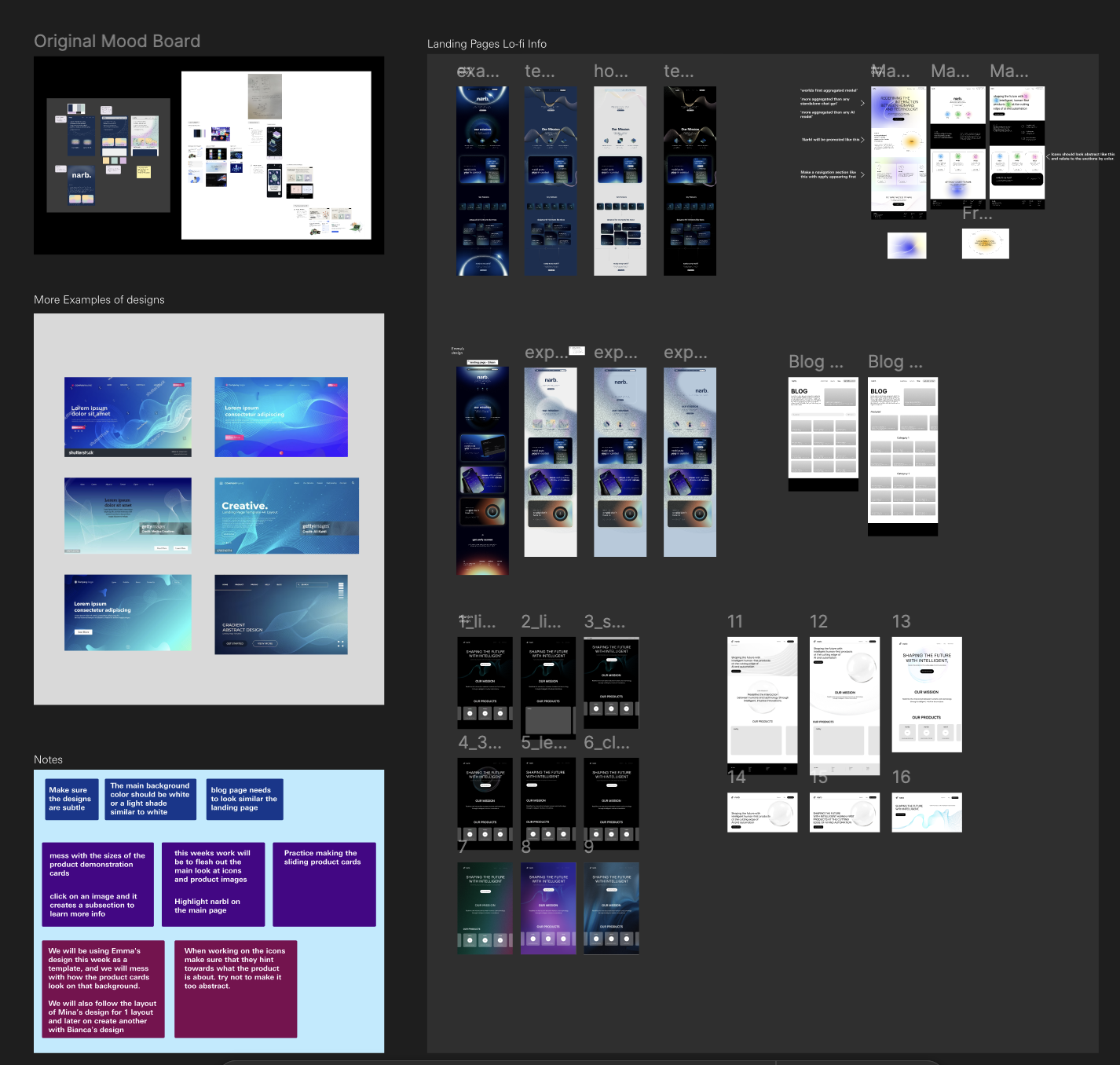
Figma Design
Overview of the complete design system including mood boards, landing page explorations, lo-fi wireframes, and design notes from the iteration process.
04
Core Features
Four integrated features that make working with multiple AI models intuitive, from exploration to production.
Multi-Model Chat
Chat with GPT-4, Claude, Llama, Gemini, and more from one interface. Switch models mid-conversation without losing context.
Side-by-Side Compare
Run the same prompt across multiple models simultaneously. See responses side-by-side to make informed decisions.
Agent Builder
Create custom AI agents with system prompts, knowledge bases, and specific model configurations. Deploy in minutes.
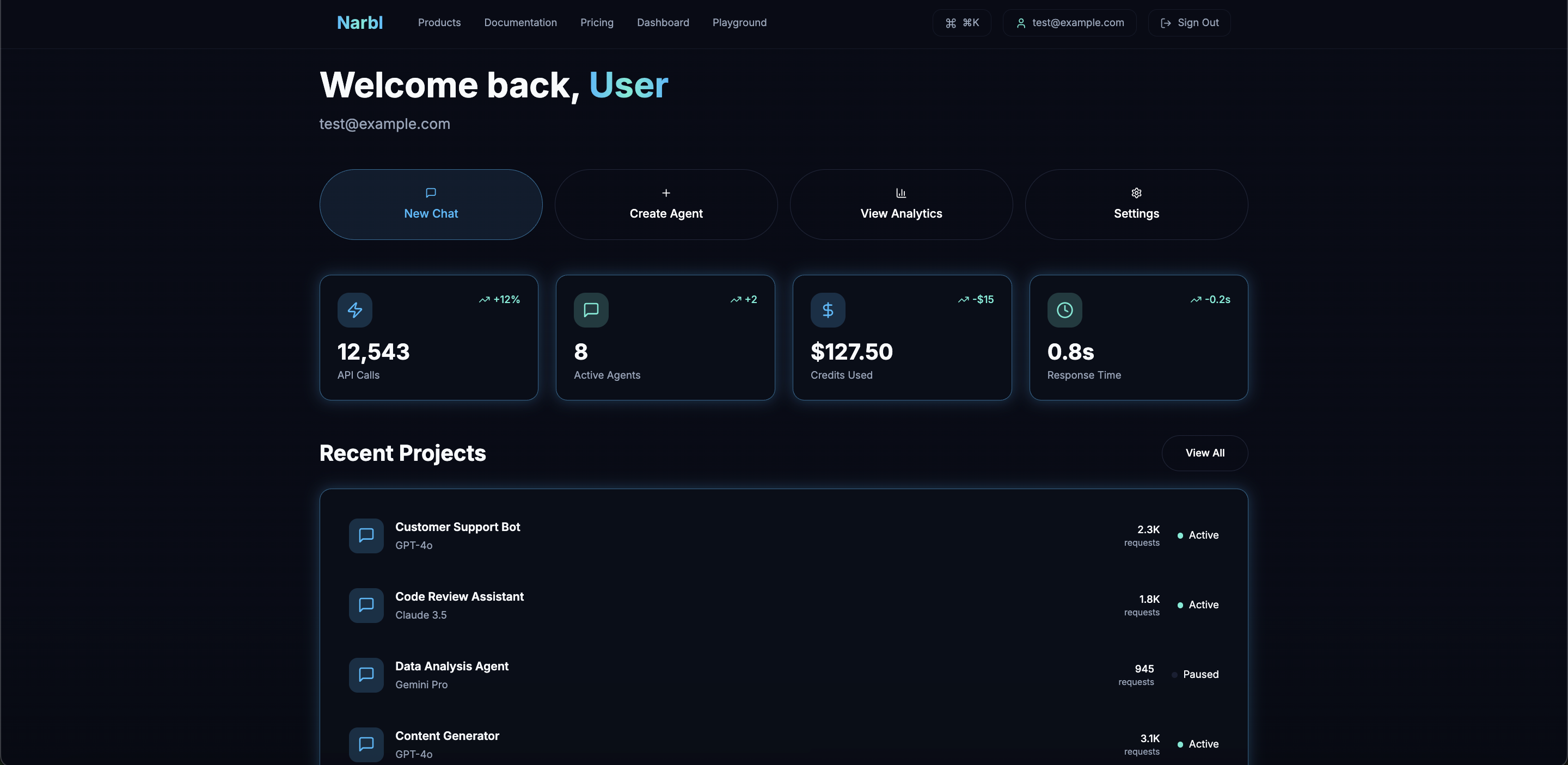
Smart Dashboard
Track usage, costs, and performance across all models. Optimize your AI workflows with actionable insights.
Each feature works on its own while building toward a complete AI workflow platform. Start with chat, graduate to comparison, then evolve to building. All in one place.
05
Design System
Our team designed a glassmorphism-inspired system that feels both futuristic and approachable. The dark navy theme reduces eye strain during long coding sessions while blue accents create a distinct, tech-forward identity that feels professional and trustworthy.
Colors
Background
Primary · Cyan
Accent
UI Elements
Typography
Display
Inter Bold · 48px
Narbl
Heading
Inter SemiBold · 24px
Heading
Subheading
Inter Medium · 18px
Subheading
Body
Inter Regular · 14px
Body text
Code
JetBrains Mono · 13px
const ai = new Narbl()Caption
Inter Regular · 12px
Caption text
Key Design Decision
We designed a unified multi-model interface instead of separate tool pages because developer research showed context-switching between AI tools was the biggest pain point. One workspace, multiple models, zero friction.
06
Impact & Results
40%
Increase in user sign-ups within 3 months of launch
2x
Faster onboarding completion after flow redesign
85%
Positive feedback from user testing sessions
500+
Active users on designs shipped to production
"Anusha consistently delivered designs that balanced user needs with our technical constraints. Her ability to take feedback, iterate quickly, and communicate design decisions made her an invaluable part of the team. The onboarding redesign she led directly contributed to our growth metrics."
Engineering Lead
Narbl
07
Reflection
What We Learned
- Collaborating daily with engineers on constraints
- Building design systems from scratch
- Designing for power users who skip tutorials
Challenges
- Managing information density in comparisons
- Handling unpredictable AI response times
- Balancing input from multiple stakeholders
Next Time
- Test with non-technical users earlier
- Design mobile comparison patterns sooner
- Explore team collaboration features
Key Insight: This internship taught me to ship production-quality work in a fast-paced startup. I gained confidence collaborating with senior engineers and learned to design complex tools that respect user expertise.
08
Product Walkthrough
Browse through the final high-fidelity designs showcasing Narbl's core features and glassmorphism aesthetic.
Build with Intelligence